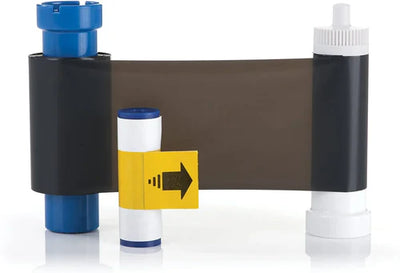
Volty ID Support
Fix the most common problems in a minute, download drivers and manuals, or call (877) 600-1120, Monday to Friday, 10am to 7pm ET.

Quick Fixes for Common Problems
The code isn't in the box. It's emailed to you when you register your printer, which takes about 2 minutes. Already registered? Give it 15 minutes, then search your inbox and spam folder for Volty ID. Still nothing? Call us at (877) 600-1120 and we'll resend it.
It's the most common message on a new printer, and it almost never means something is wrong. It means the printer can't read the ribbon.
1. Reseat the ribbon. Lift it out, check the film is flat and not wound tight, set it back flat in its guides and close the cover gently.
2. Still there? Calibrate. Take the ribbon out and close the cover. Go to Devices & Printers → right-click your Volty printer → Printing Preferences → Tool → Calibrate Ribbon LED. Put the ribbon back and print.
Still showing? Call us at (877) 600-1120 and we'll clear it with you.
If it was bought on Amazon, the order number is on the packing slip inside the box, and under Your Orders in the Amazon account that bought it. If your office, HR or purchasing ordered it, ask them for it. Box already gone? Call us with the printer's serial number and we'll help.
Type the Amazon order number with the dashes, exactly as it appears: 111-1234567-1234567 (17 digits in three groups). No spaces. Also make sure Purchased From is set to Amazon.
On the label on the back or bottom of the printer, marked S/N. It's 10 letters and numbers starting with S1, like S130I11181. It's not the number starting with PSP or CPP, and not the barcode on the outside of the box.
The driver needs an administrator account on the computer. If Windows asks for a password you don't have, your IT person needs to run the install. It also needs Windows 7 to 11 on an Intel or AMD processor. Macs, Chromebooks, iPads and Windows in S mode can't install it.
On a work or school computer? Email the requirements to your IT person.
1. Check the printer is on and the USB cable goes straight into the computer (no hub).
2. Open Devices & Printers, right-click your Volty printer, choose See what's printing and cancel anything stuck.
3. In that window, make sure Use Printer Offline isn't checked.
4. Restart the computer with the printer on and print again.
Time to clean the printer. Take the ribbon out, open the printer settings, choose Tools → Clean Printer and feed a cleaning card through. Make it a habit to clean every time you change the ribbon. Get a cleaning kit.
No. Take the cartridge out, trim the torn edge straight, tape the two ends together on the back (non-print) side with clear tape, wind it forward a few turns and put it back. Then clean the printer, since dirt is a common cause of tears.
Install the driver and Volty ID Software on the new computer and enter the same activation code. If it says the code is already in use, for example because the old computer died, call us at (877) 600-1120 and we'll release it.
Your 75-day free trial starts the day you register. To keep printing after that, choose a monthly or yearly plan. One plan covers up to 10 users. Your receipts and subscription are in your account.
Free with every Volty ID printer
Want us to set it up with you?
Book a free call with Angelo, your Volty ID setup technician, on Google Meet. Full setup (1 hour): the printer, the software and your card design, and your first card prints before you hang up. Quick help (20 minutes): a question or a refresher.
Still Need Help?
Send us a message and we’ll get you back to printing.
Contact us

Need help right now? Call (877) 600-1120 (Monday to Friday, 10am to 7pm ET) or email support@voltyid.com.
More Questions
Multiple ways:
- Phone: (877) 600-1120 — Option 1 Sales, Option 2 Customer Service, Option 3 Tech Support
- Email: support@voltyid.com for technical issues, cs@voltyid.com for orders and billing
- Free onboarding: schedule a 1-hour session with a specialist anytime
We're open Monday–Friday, 10am–7pm ET. Email responses typically same business day during open hours.
Start with the basics: power cycle the printer (turn off, wait 30 seconds, turn on), check the USB cable connection, and make sure your ribbon and cards are loaded correctly. If that doesn't fix it, call (877) 600-1120 Option 3 and tech support will walk through it with you. Most issues are resolved in a single call.
Start with printer setup: register your printer, then follow the steps. The setup guide, drivers, manuals and firmware are all on this page under Downloads.
If you added VoltiCare protection, call (877) 600-1120 Option 3 or email support@voltyid.com with your order number and a description of the issue. We'll ship a loaner printer overnight while we repair yours — free shipping both ways, parts and labor included for the length of your plan.
Yes. Take the 60-second Software Quiz, or call (877) 600-1120 Option 1 and we'll walk through your workflow together. Free, no scripts, no pressure — we'd rather match you to the right edition than sell you the wrong one.
Supplies for Your Printer
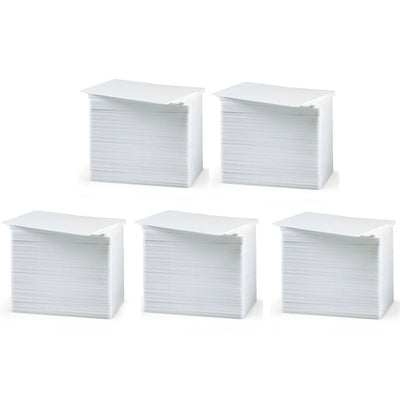
Volty ID 500-Pack Bulk Blank White PVC ID Cards, 30 Mil CR-80 Credit Card Size, Print-Ready for VX100/VX200/VX300 Printers
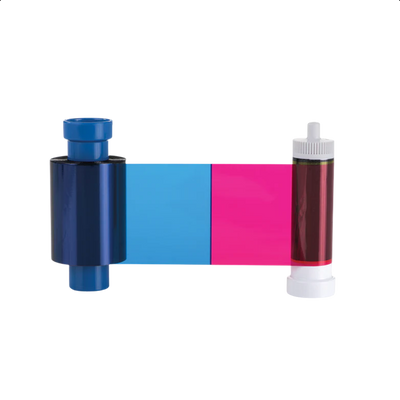
Genuine YMCKO Full-Color Ribbon, 100 Prints, for VX100 ID Card Printer
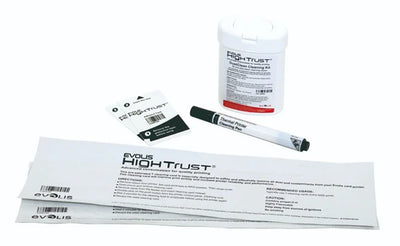
Volty ID VXCKIT Genuine Cleaning Kit for VX100, VX200, VX300 ID Card Printers — 5 Swabs, 3 Cloths, 10 Cleaning Cards
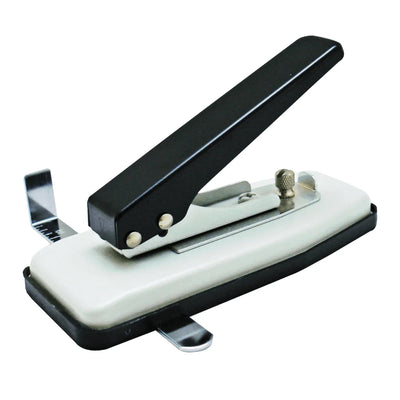
Volty ID Heavy-Duty Handheld ID Card Slot Punch, Reinforced Steel, Cuts Clean Lanyard Slots in CR-80 PVC Cards